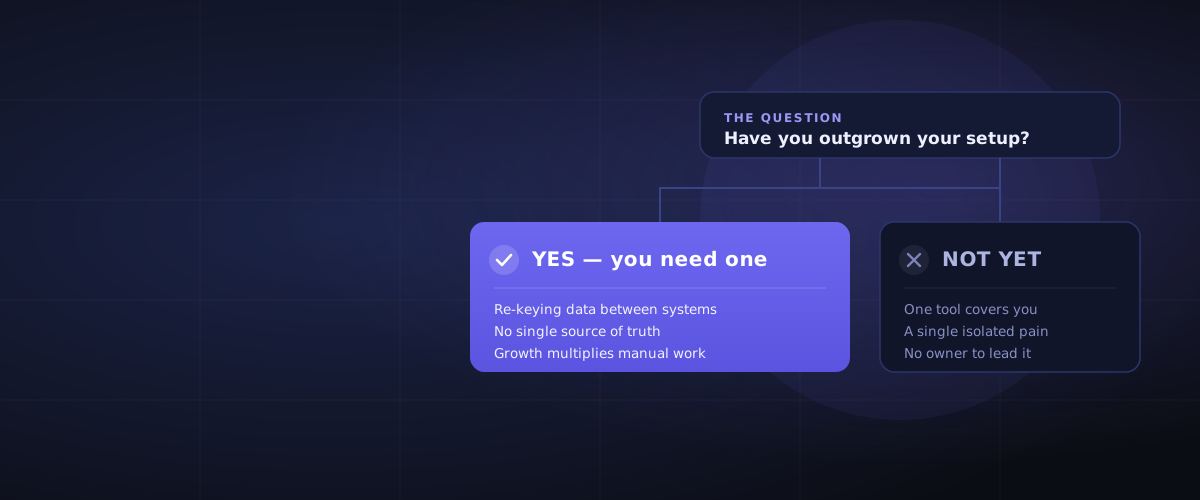
You probably need an ERP when three things happen at once: your team is re-keying the same data into separate systems, you can't get one trustworthy number without a spreadsheet export, and a person — not the software — is the only thing holding a process together. If none of those is true yet, you almost certainly don't need one, and anyone telling you otherwise is selling something.
This guide gives you the honest version of that decision. No vendor logos, no "request a demo," no fear-based math. Just the signals that actually matter, the ones that don't, and what an ERP really costs in money and time — so you walk into any sales conversation already knowing the answer.
What an ERP actually is (in one paragraph)
ERP stands for Enterprise Resource Planning, which is a terrible name that explains nothing. In plain terms: an ERP is one connected system that runs the core of your business — finance, inventory, purchasing, sales, and often manufacturing or projects — so that everyone works from the same live data instead of stitching together separate apps. When a sale closes, stock, invoices, and the general ledger all update from that one event. That's the whole idea: enter once, trust everywhere.
5 signs you've genuinely outgrown your current setup
If several of these are true at the same time, you're past the point where another point solution will help.
1. You re-key the same data into multiple systems. Someone is typing the same order, invoice, or customer into two or three tools because they don't talk to each other. Every hop is a chance to introduce an error — and it's pure wasted labour.
2. You can't get one number you trust without a spreadsheet. Month-end means exporting from three places and reconciling by hand. If "what's our actual margin / stock position / cash position right now?" can't be answered in minutes, your data is living in silos.
3. A person is the integration. A process only works because Sarah remembers to do the thing every Friday. When Sarah is on leave, it breaks. Critical workflows shouldn't depend on individual memory.
4. Inventory, fulfilment, or production are guesswork. You're overselling stock you don't have, or holding stock you don't need, because purchasing, sales, and the warehouse aren't looking at the same picture.
5. Growth makes it worse, not better. Adding customers, SKUs, locations, or entities multiplies the manual workarounds instead of being absorbed. That's the tell that you've hit a structural ceiling, not a temporary busy patch.
3 honest signs you DON'T need one yet
Almost nobody writes this part, because most "do you need an ERP" content exists to sell you an ERP. Here's the truth:
1. One or two tools genuinely cover you. If your accounting package plus one operational tool keep up without daily manual gymnastics, an ERP is overkill. Don't buy a platform to solve a problem you don't have.
2. Your pain is one broken process, not many. If it's only inventory, or only invoicing, a focused best-of-breed tool will be cheaper, faster to roll out, and less disruptive than a full ERP.
3. You can't free anyone up to own it. An ERP implementation needs an internal owner with real time to give. If nobody can step back from day-to-day work to lead it, you're not ready — and starting anyway is the single most common way these projects fail.
ERP vs accounting software: the difference that trips people up
This is the most common point of confusion, so let's settle it. Tools like QuickBooks and Xero are excellent accounting software. They are not ERPs, and outgrowing them is often the moment people start this search.
| Accounting software | ERP | |
|---|---|---|
| Primary job | Record financial transactions | Run core operations end to end |
| Scope | The books — invoices, ledger, tax | Finance plus inventory, purchasing, sales, production, projects |
| Data model | Built around the chart of accounts | Built around one shared operational record |
| When it fits | Service or small product businesses | Multi-process, multi-team, or inventory-heavy operations |
| Typical trigger to leave | Bolting on spreadsheets and extra apps to cope | — |
If you're constantly exporting from your accounting tool into spreadsheets to run the operational side of the business, that's the signal you've crossed from "needs accounting software" into "needs an ERP."
What an ERP really costs — money and time
Be wary of any number quoted without context; real cost depends on your size, complexity, and how much you customise (we break the real numbers down in How Much Does an ERP Cost?). But the shape of it is consistent:
- Licence/subscription is usually the smallest line. Cloud ERP is typically priced per user per month. For a small business that's often the least of it.
- Implementation usually costs more than the software — often a multiple of first-year licence fees. This covers configuration, data migration, integrations, and training.
- The real cost is change. Your team has to learn new ways of working. Budget time and patience, not just money.
- Timelines range from weeks to many months depending on scope — a focused small-business rollout is fast; a multi-entity, heavily-customised one is a programme of work.
The practical takeaway: judge total cost of ownership, not the sticker price. A cheaper licence with a painful implementation can cost more than a pricier platform that fits cleanly. (This is exactly the kind of trap a structured assessment is built to catch.)
The mistake that actually hurts: the wrong ERP, not a late one
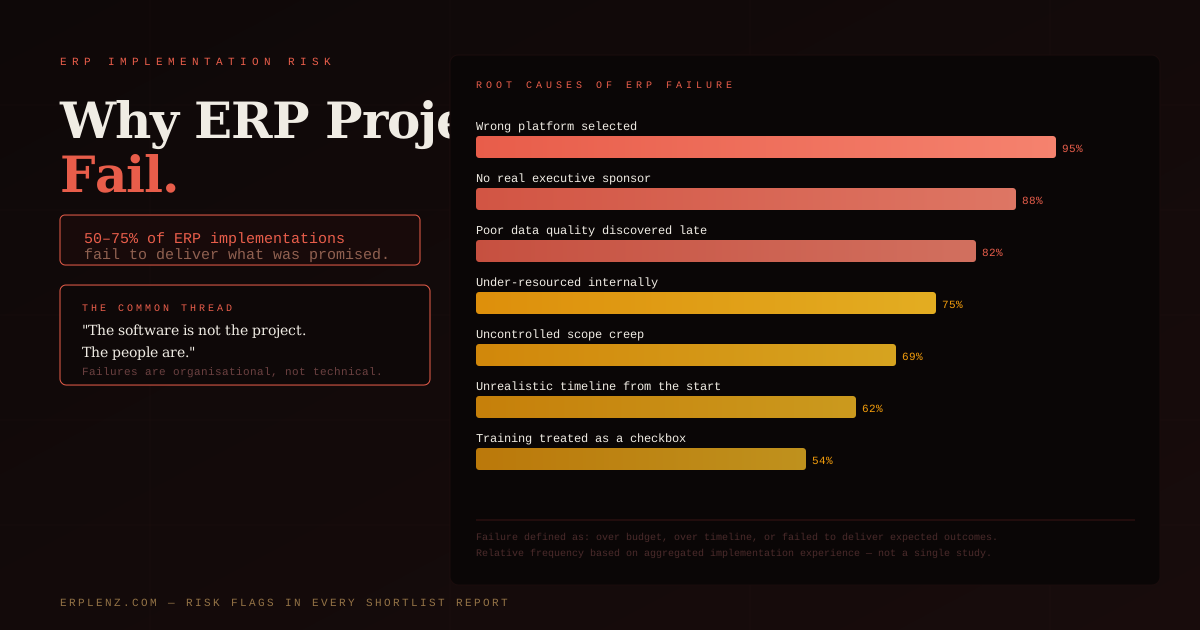
Here's the reframe that matters most. Businesses rarely get badly burned by adopting an ERP a few months later than ideal. They get burned by choosing the wrong one — a platform that's too heavy, too light, or aimed at a different kind of business — and discovering it 18 months and a lot of money in.
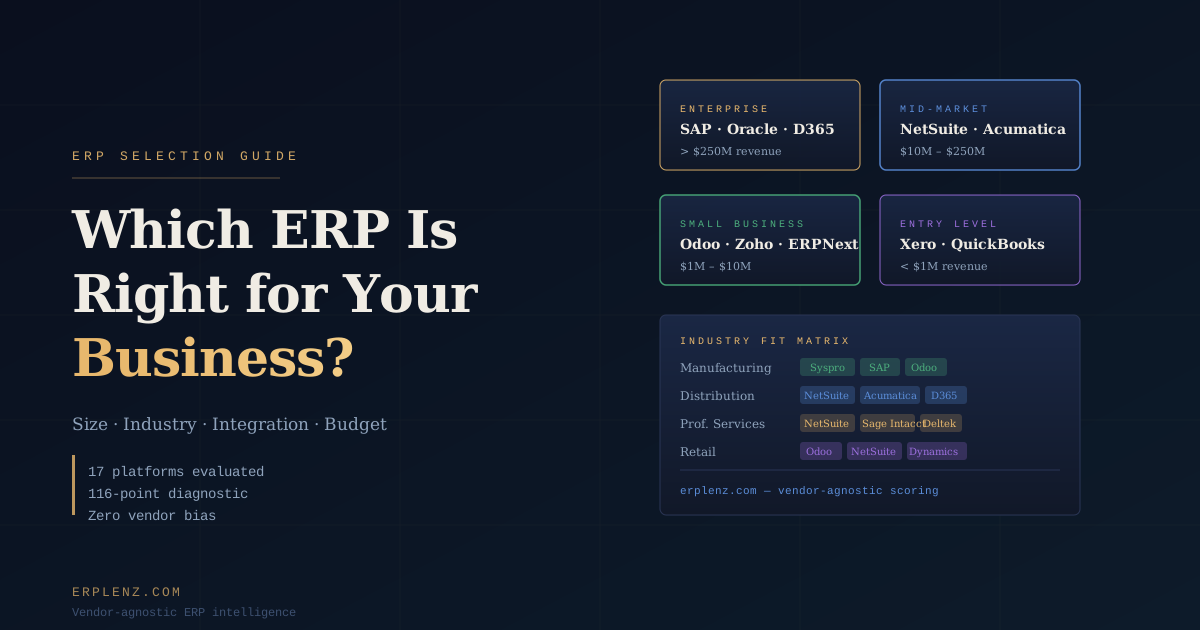
So if you take one thing from this: slow down on the choice, not the timing. The questions worth obsessing over are fit questions. Does it match how your business actually runs? Can it handle your industry's quirks — the way manufacturing, wholesale and distribution, construction, or professional services each break the generic template? Will it scale the way you plan to grow, without forcing you onto an enterprise platform you don't need yet?
That's a lot to weigh, which is why guessing — or trusting a vendor's own sales team to tell you whether their product fits — is how the wrong choice gets made.
How to decide without a sales pitch
A clean way through, in order:
- Name the pain precisely. Write down the specific processes that hurt. One process? Fix that. Many, all tangled together? That's ERP territory.
- Confirm the "single source of truth" need. If multiple teams need to act on the same live data and currently can't, that's the strongest signal.
- Check you can resource it. Is there an internal owner with time? If not, solve that first.
- Compare on fit, not features. A 200-feature checklist tells you little — our guide to how to choose an ERP walks through a fit-first process. Whether a platform suits your size, industry, and growth path tells you everything.
- Get a neutral read before you talk to vendors. Walk in already knowing your shortlist and your risks, so the sales conversation works for you instead of on you.
That last step is exactly why we built ERPLenz. It's a free, vendor-agnostic assessment: answer questions about how your business actually works, and get a scored shortlist of systems that fit — with the budget reality and risk flags spelled out — before any vendor gets your number. You can also browse the ERP systems we evaluate if you just want to see the landscape first.
Frequently Asked Questions
Do I need an ERP for a small business?
Not automatically. Plenty of small businesses run perfectly well on accounting software plus one or two focused tools. You need an ERP when those tools stop talking to each other and your team is manually bridging the gaps every day — when the cost of the manual workarounds starts to exceed the cost of a connected system. Size alone doesn't decide it; how connected your operations need to be does.
What's the difference between an ERP and accounting software?
Accounting software records financial transactions — invoices, the ledger, tax. An ERP runs core operations end to end: finance plus inventory, purchasing, sales, and often production or projects, all reading from one shared record. The usual sign you've crossed over is exporting from your accounting tool into spreadsheets to manage the operational side of the business.
When is the right time to move to an ERP?
When several signals line up at once: you're re-keying data between systems, you can't get a number you trust without a spreadsheet, processes depend on individual people remembering them, and growth is multiplying the manual work rather than being absorbed. One isolated pain point usually calls for a focused tool, not a full ERP. For the detailed timing signals — the operational triggers that matter more than revenue — see When Does a Business Actually Need an ERP?
How much does an ERP cost?
It varies widely with size and complexity, but the shape is consistent: the licence or subscription is often the smallest part. Implementation — configuration, data migration, integration, and training — frequently costs more than the software itself in year one, and the biggest real cost is the change your team absorbs. Always judge total cost of ownership over the first few years, not the headline price.
Is it risky to wait too long to get an ERP?
Waiting a little longer than ideal rarely causes serious damage. Choosing the wrong ERP does. The expensive failures come from picking a platform that doesn't fit the business and finding out well into the project. Prioritise getting the choice right over getting it early.
How do I choose the right ERP without a vendor pushing their own product?
Start with a neutral, fit-first assessment rather than a feature checklist or a vendor demo. Map your real processes, your industry's specific needs, and your growth plans, then match those to systems built for that profile. A free ERPLenz assessment gives you a scored, vendor-agnostic shortlist with budget and risk flags before you ever speak to a sales team.
ERPLenz is a vendor-agnostic ERP selection platform. Answer a few questions about your business and get a scored, independent shortlist — no sales calls, no vendor bias. Start free.